








How to Upload Onboarding Documents
When filling out your start paperwork, you will see red buttons to upload documents on different modules (if you’ve completed your start and need it opened back up for you to add documents, please reach out to your production)
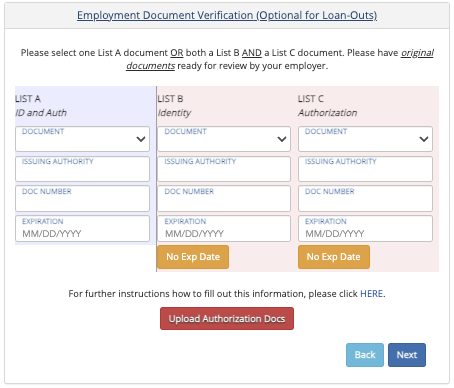
Employment Document Verification (I-9) module:
Here, you may upload pictures of your I9 documents (like a passport, social security card, or driver’s license for verification by your production). After uploading, you won't be able to see what you've uploaded, but rest assured- we have it!
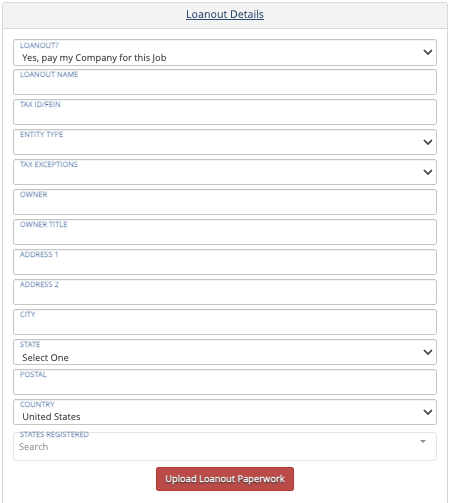
Loanout Details module:
This is where you’ll upload your articles of incorporation and a letter from the IRS stating you're taxed through your loanout (S or C Corp). We cannot pay single-member LLCs.
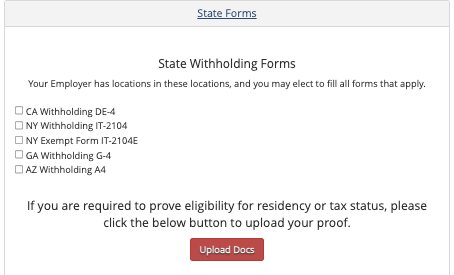
State Forms module:
Even if you don't have any state forms to fill out, any supporting docs can be uploaded here. If you made a mistake in uploading documents to any other module, you can upload your correct documents here. You can also upload a kit itemization list here as there is no other place to upload a kit itemization form.
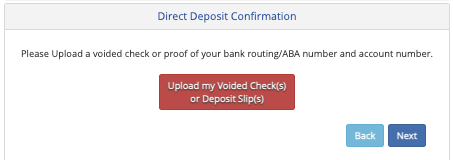
Direct Deposit Confirmation module:
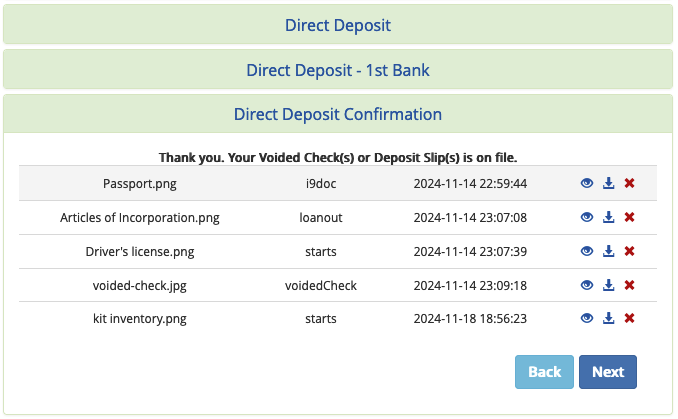
This is where you'll upload a picture of a voided check or direct deposit slip from your bank. We know most people don't have checks. Please check with your bank on how to get a Direct Deposit slip or you can upload a screenshot of your account and routing numbers.
Once you've uploaded a voided check or deposit slip, you will see all of the other documents you've uploaded.
Questions? Need more help?
Please email support at support@revolutiones.com with your full name, the name of the project(s) you're working on, and a good email or phone number for us to reach you at or call 800-985-9238 M-F 7AM-6PM (PST). If it's outside our business hours, we will get back to you as soon as we can.

