








How to sort and organize your calendars
When you are organized, it adds control and makes management of all processes simple!
If you are working on a lot of shows or events using ProCal, the calendar list can start to get overwhelming. However, you can use the ‘Sorting Calendar’ feature and organize your calendar menu easily.
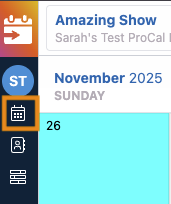
Search for a Calendar
1) Click in the search box to type the name of the calendar you're looking for
.

Organize Your Calendars
Create Groups
Click the "New Group" button, give the group a name, then click "Save Group". The groups will function just like folders.
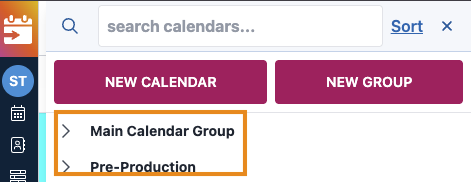
Groups are indicated by a >. In the screenshot below, "Main Calendar Group" and "Pre-Production" are both groups.
Use the Sort Function to Rearrange your Calendars
Click the Sort button.

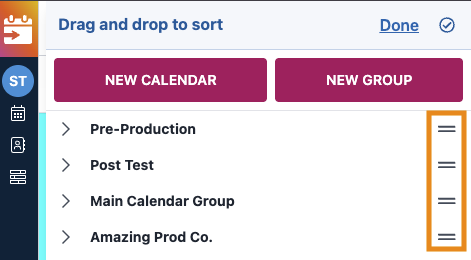
You'll receive a notification that you can drag and drop the calendars, and the "Sort" button will be replaced with "Done."
The grip lines (=) appear next to each item. Click these lines to drag and drop the items in the groups based on relevance.
You can move groups within other groups in case you no longer need them.
The best part of the Grouping or Sorting function is that you may organize the events/ shows based on the priority and make it more relevant and clear.
Questions? Need more help?
Please email support at support@revolutiones.com or call 800-985-9238 M-F 7am-6pm (PST). If it's outside our business hours, we will get back to you as soon as we can.

