How to Sign a Digital Check Request
This article reviews the steps for logging into Digital Checks and signing a Check Request. Please contact support@revolutiones.com to request setup of Digital Check Signatures.
1) Connect to ProBooks Digital Checks using the link provided by Support
- Type in the portion of the URL address that represents the project, click Connect
- Ex. https://app.sigmacloud.io/login/?instances=https://echo.sigmacloud.io

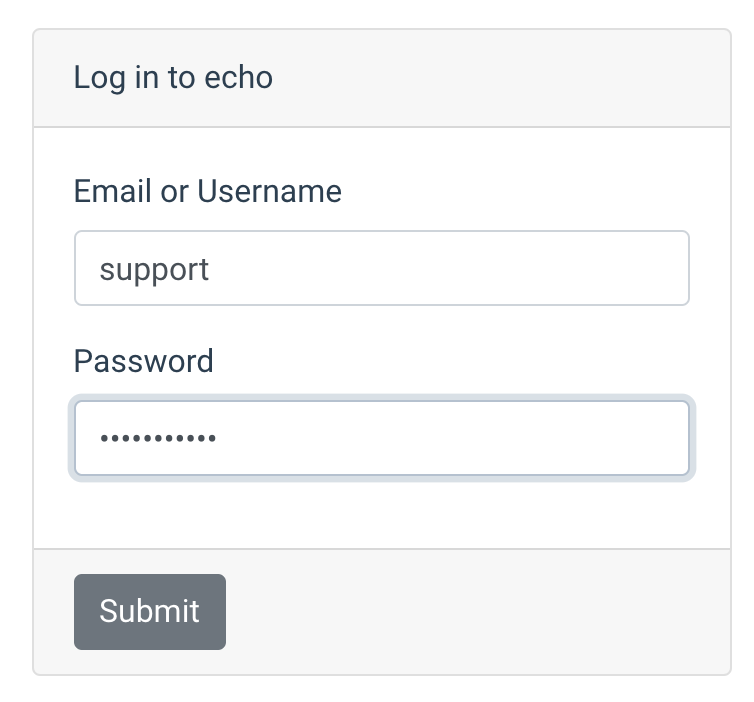
2) Login using the same Username and password that’s been setup in ProBooks. Click Submit.
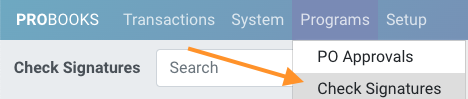
- Navigate to Programs > Check Signatures. Any checks waiting to be signed will appear here.
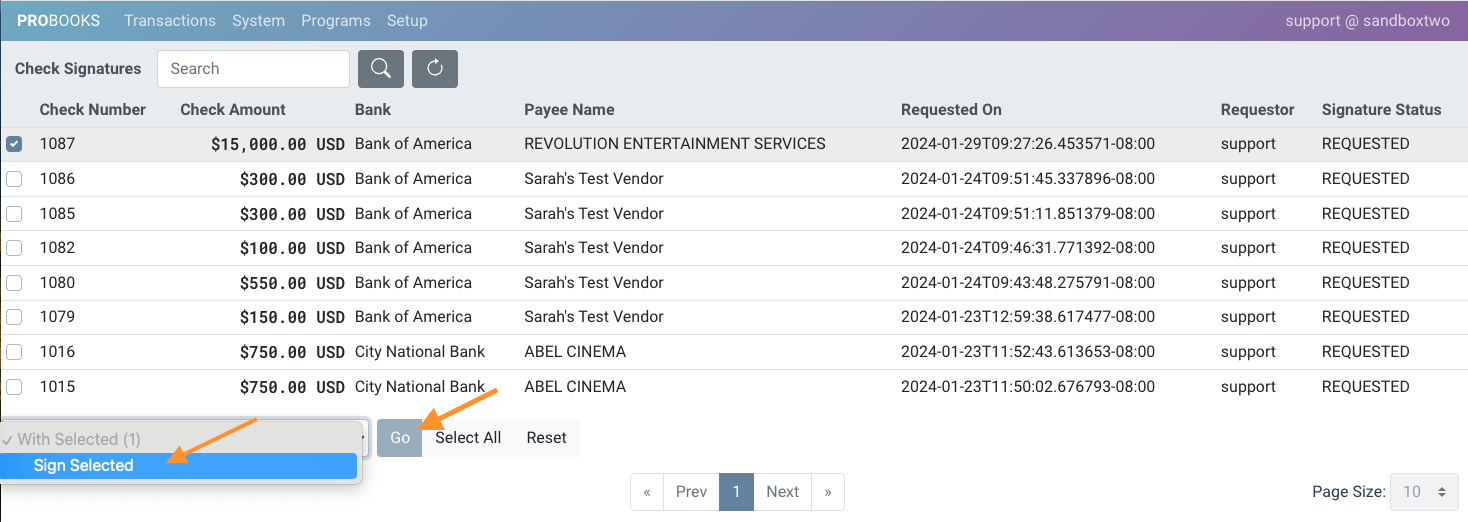
- Select the checks you’re ready to sign by clicking the checkboxes on the left or click Select All, then from the drop-down menu click Sign Selected. Click Go. You’re done!