








How to set up users' access rights for your calendars
Your collaborators may not need to have all the features of an admin. Here's how to make that adjustment.
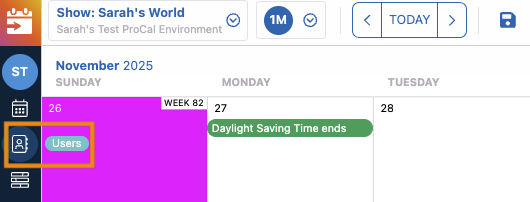
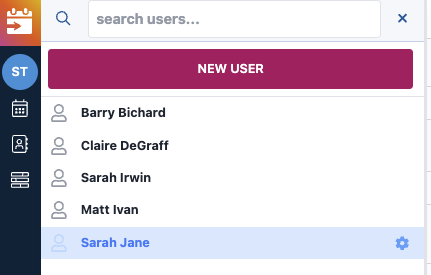
1) Click on Users, then the name of the user
Please note it's possible to adjust someone's access rights no matter what the status is - Invited, User, etc.
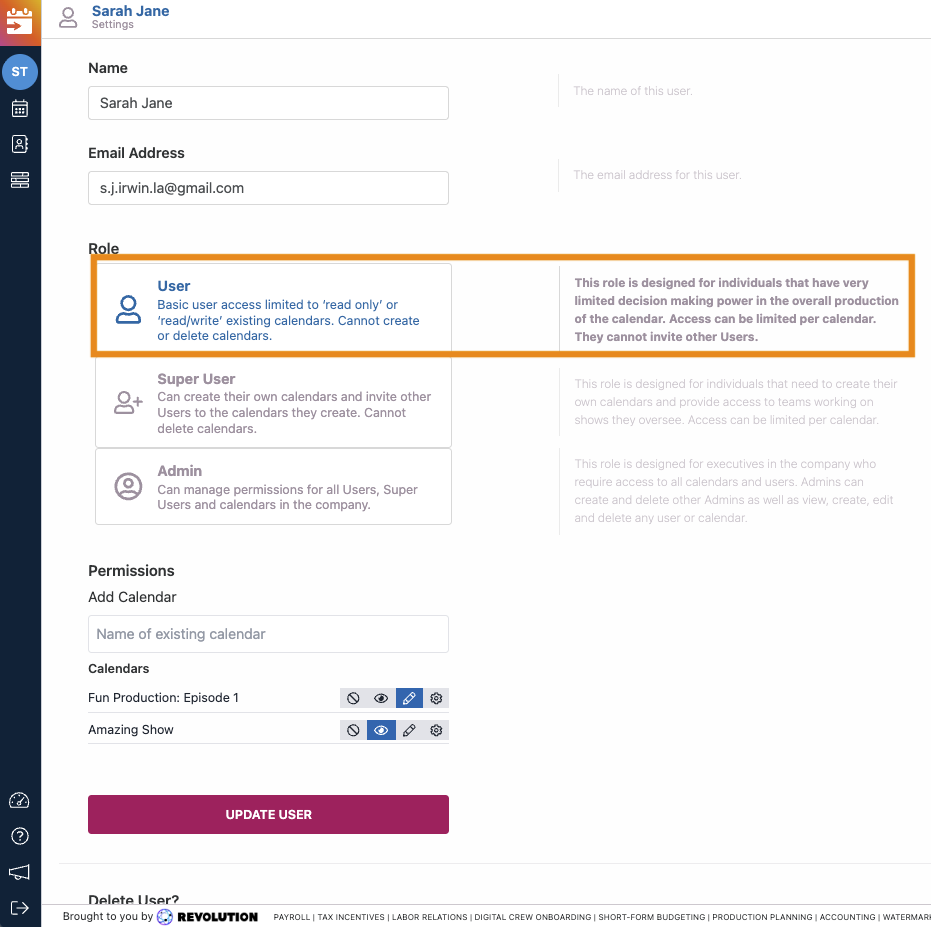
2) Under "Role", select the appropriate access rights
Check the description of permissions and what they can and cannot do.
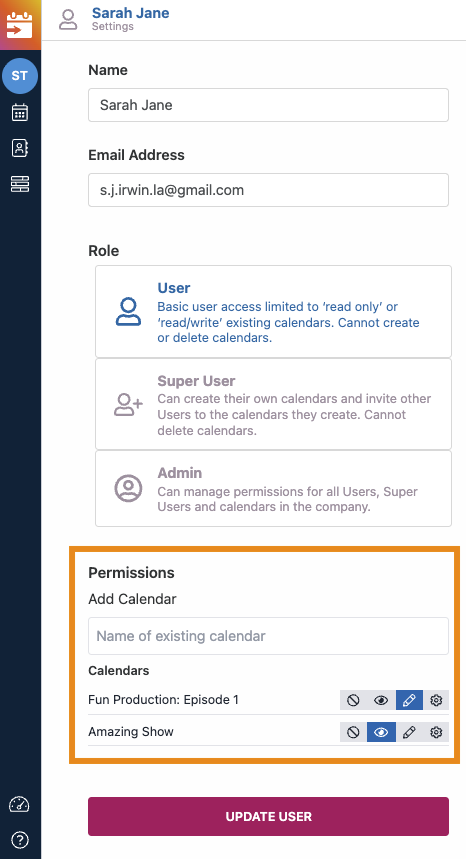
3) If not already selected, under "Permissions," choose the calendar(s) they'll have access to
4) Click "Update User" to save the changes
Questions? Need more help?
Please email support at support@revolutiones.com or call 800-985-9238 M-F 7am-6pm (PST). If it's outside our business hours, we will get back to you as soon as we can.

