How to Request a Digital Check Signature
This article covers the check signature request process for Accounts Payable checks. Please contact support@revolutiones.com to request setup of Digital Check Signatures.
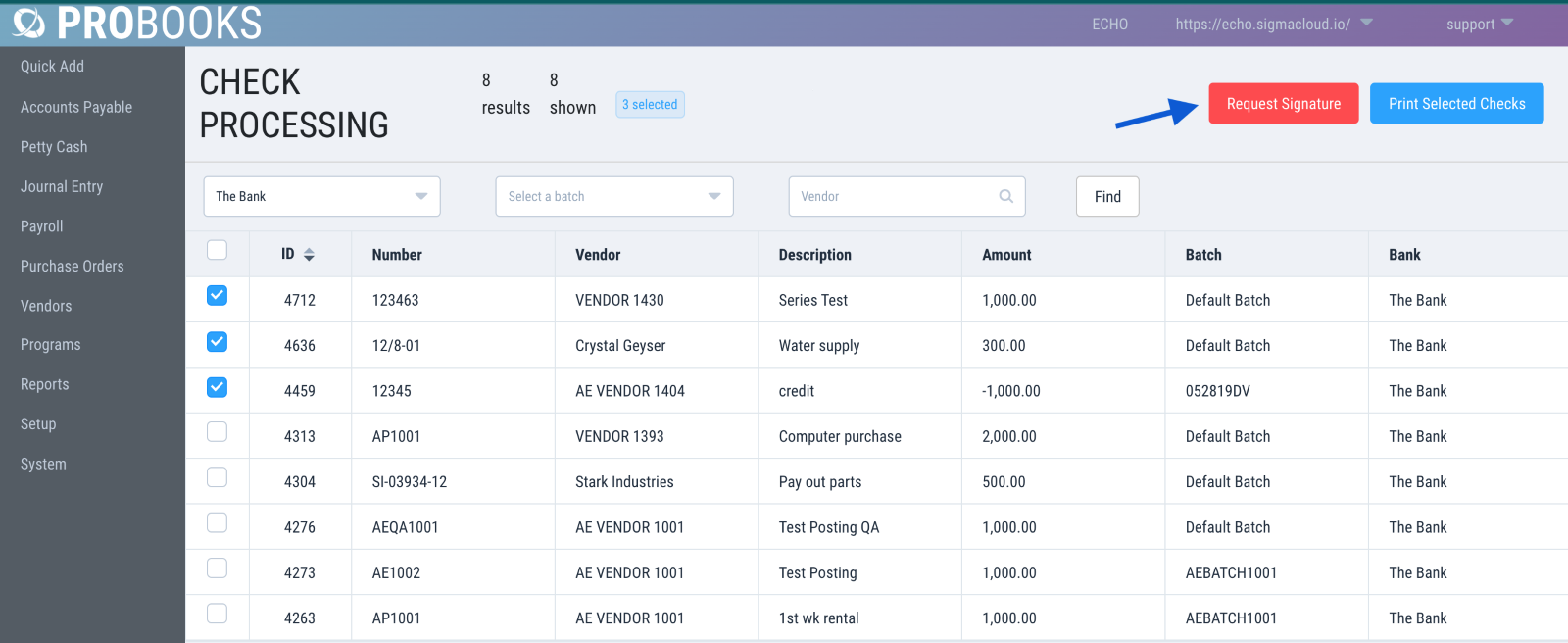
1) Go to Accounts Payable > Print Checks. Select the checks you would like signed and click Request Signature.
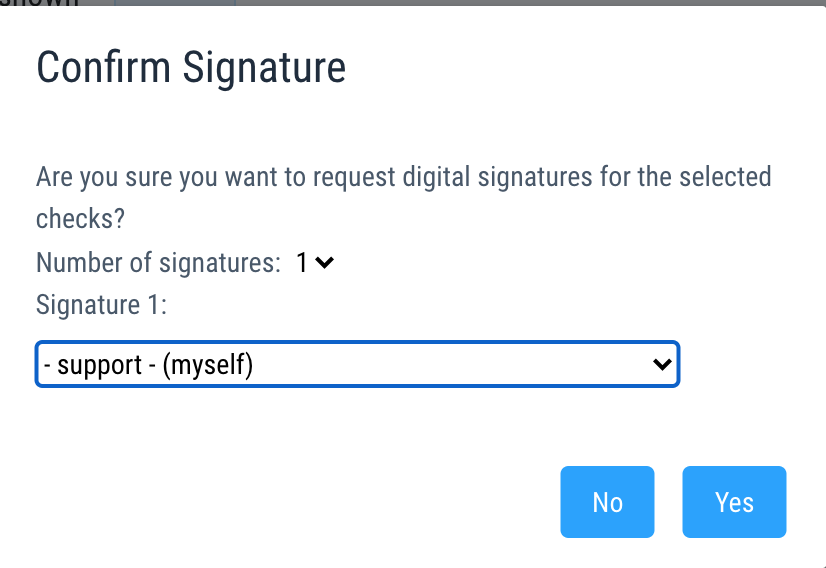
2) From the Signature menu drop down, select the signer and click Yes. Please note, ProBooks currently only supports 1 signature.
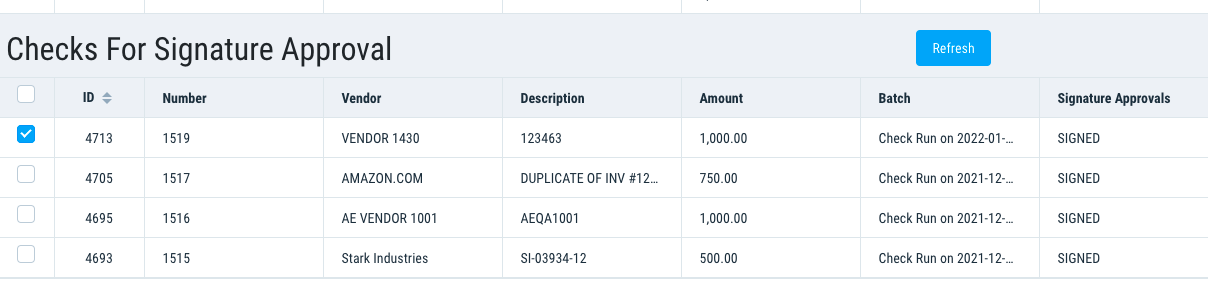
3) Once the checks have been signed, they will appear in Checks for Signature Approval with a Status of Signed. Please note, when printing checks you need to select them from this menu in order to capture the Digital Signature.