








How to merge multiple calendars
Multiple departments with multiple timelines? Combine the calendars and keep everyone on track!
If each of your departments has their own calendar on ProCal, you can combine them into one main production calendar. Here's how:
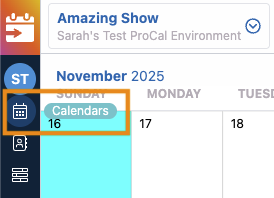
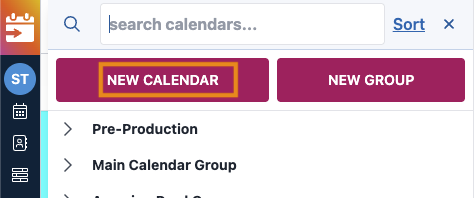
1) Go to My Calendars > New Calendar
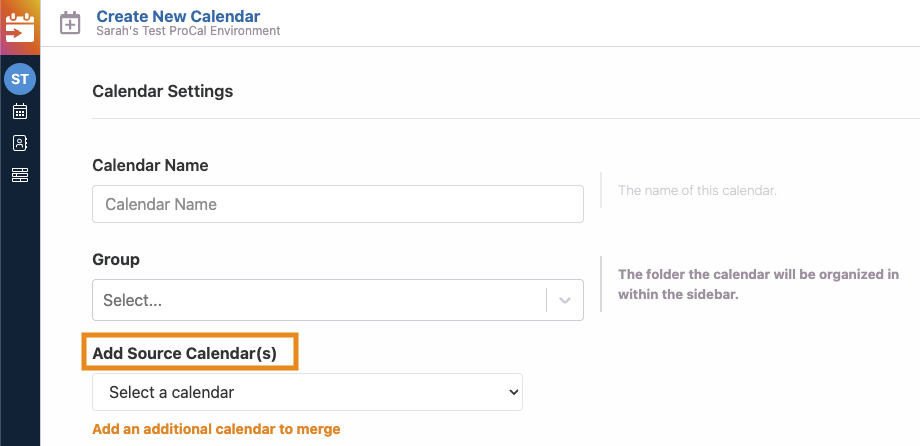
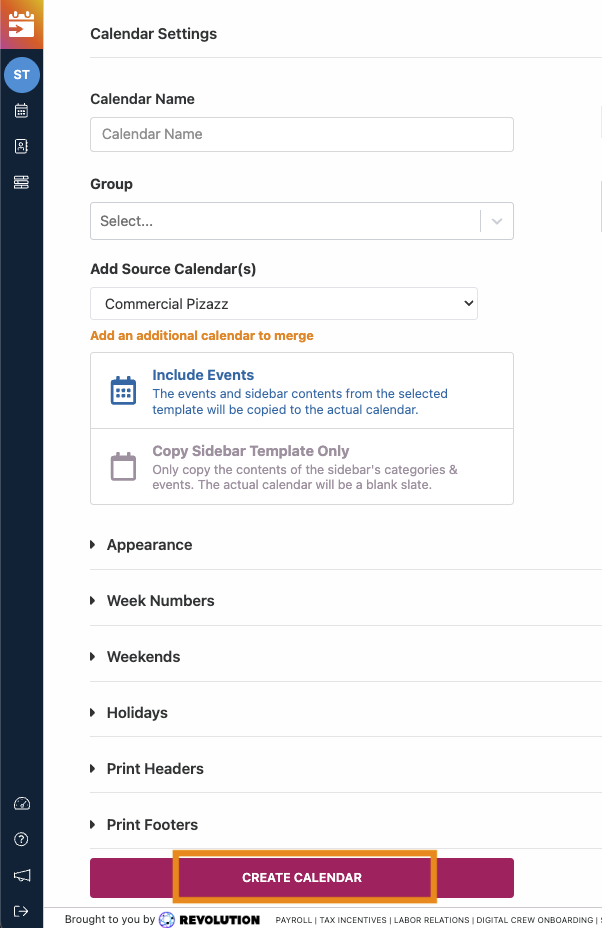
2) In Calendar Settings, select a calendar under "Add a Source Calendar(s)"
You can click on "Add additional source calendar" to add additional source calendars, if you'd like.
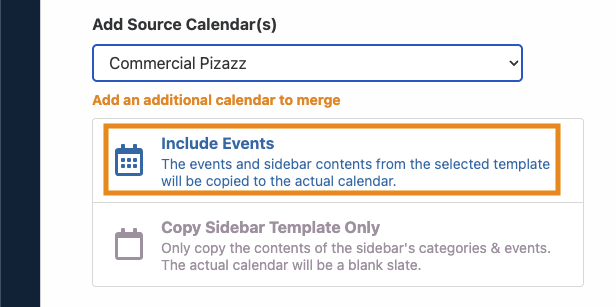
3) Choose the "Include Events" option
If you choose "Copy Sidebar Template Only", this will copy the appearance and formatting of the source calendar only and will not include the events.
4) Finish setting up your Calendar, then click "Create Calendar"
Questions? Need more help?
Please email support at support@revolutiones.com or call 800-985-9238 M-F 7am-6pm (PST). If it's outside our business hours, we will get back to you as soon as we can.

