






How to Map to an Alternate Chart of Accounts
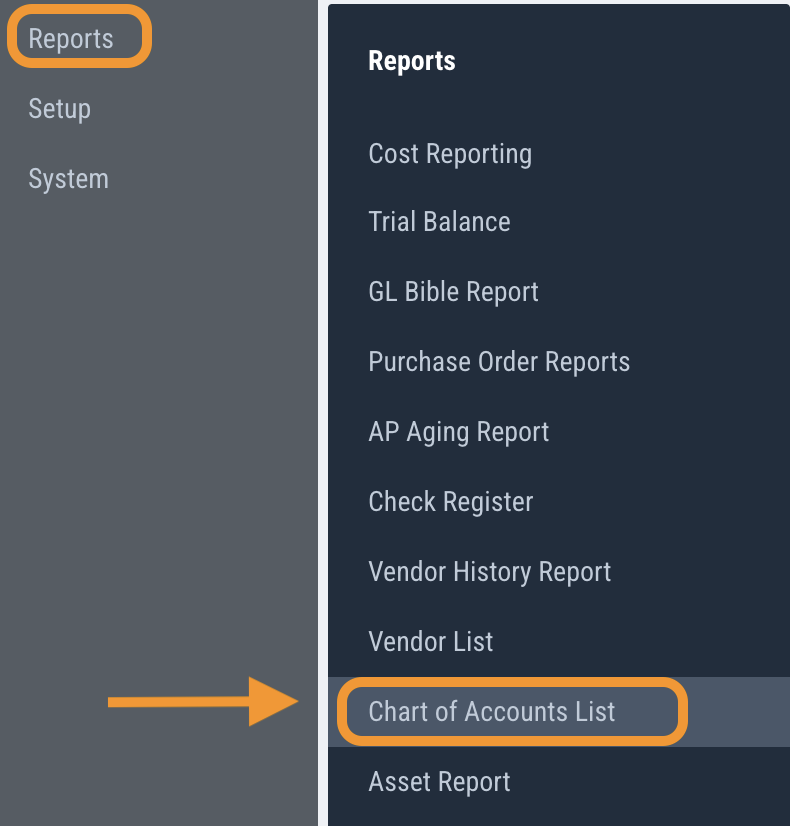
1) Click on Reports > Chart of Accounts List
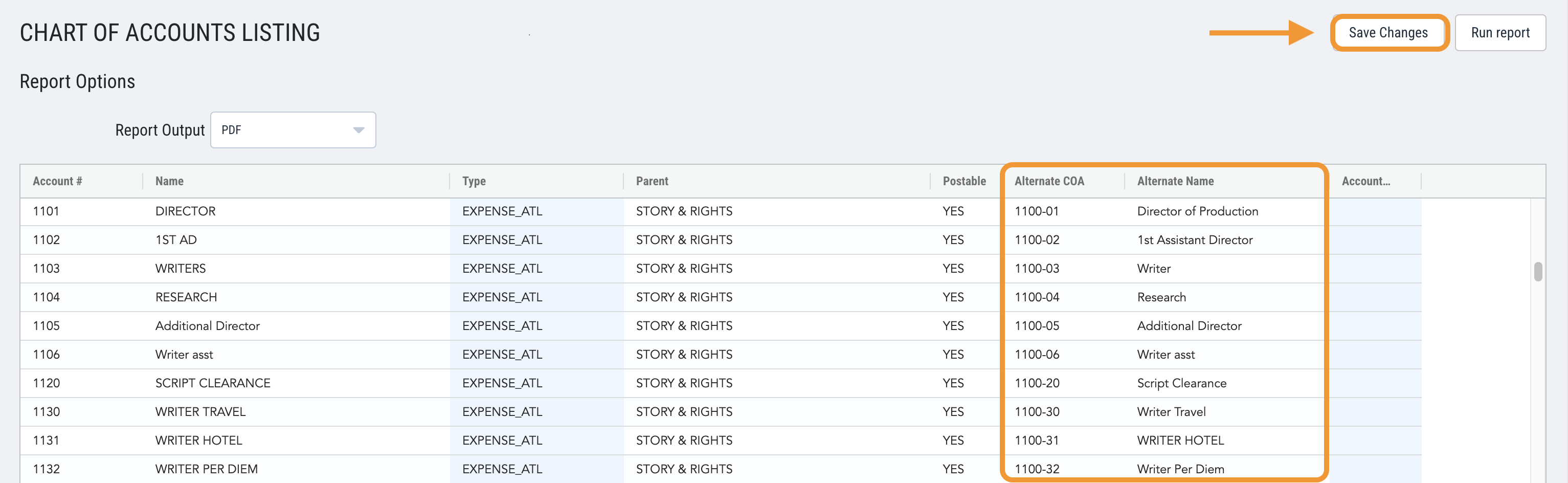
2) Scroll through the list and Type in the applicable Alternate COA code and Alternate Name, then Save
3) A message will pop-up to confirm the changes saved

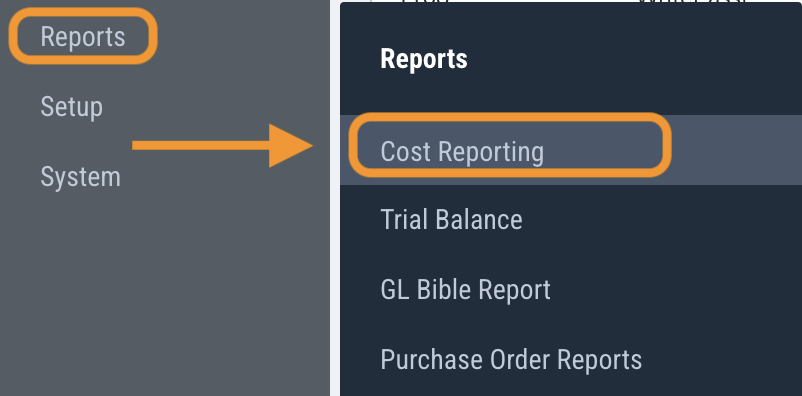
4) Next, navigate to Reports > Cost Reporting
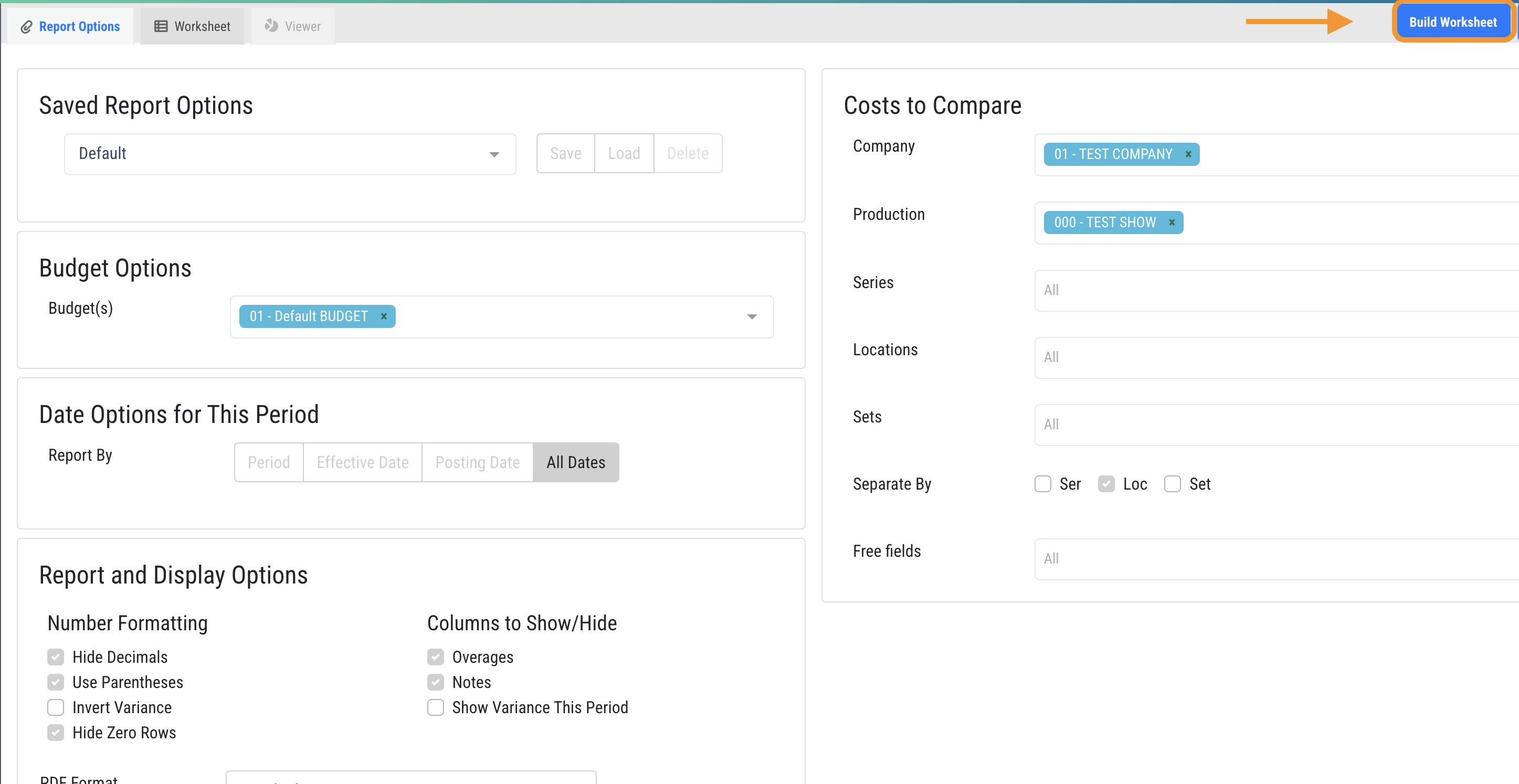
5) Select your preferred report filters and proceed to Build Worksheet
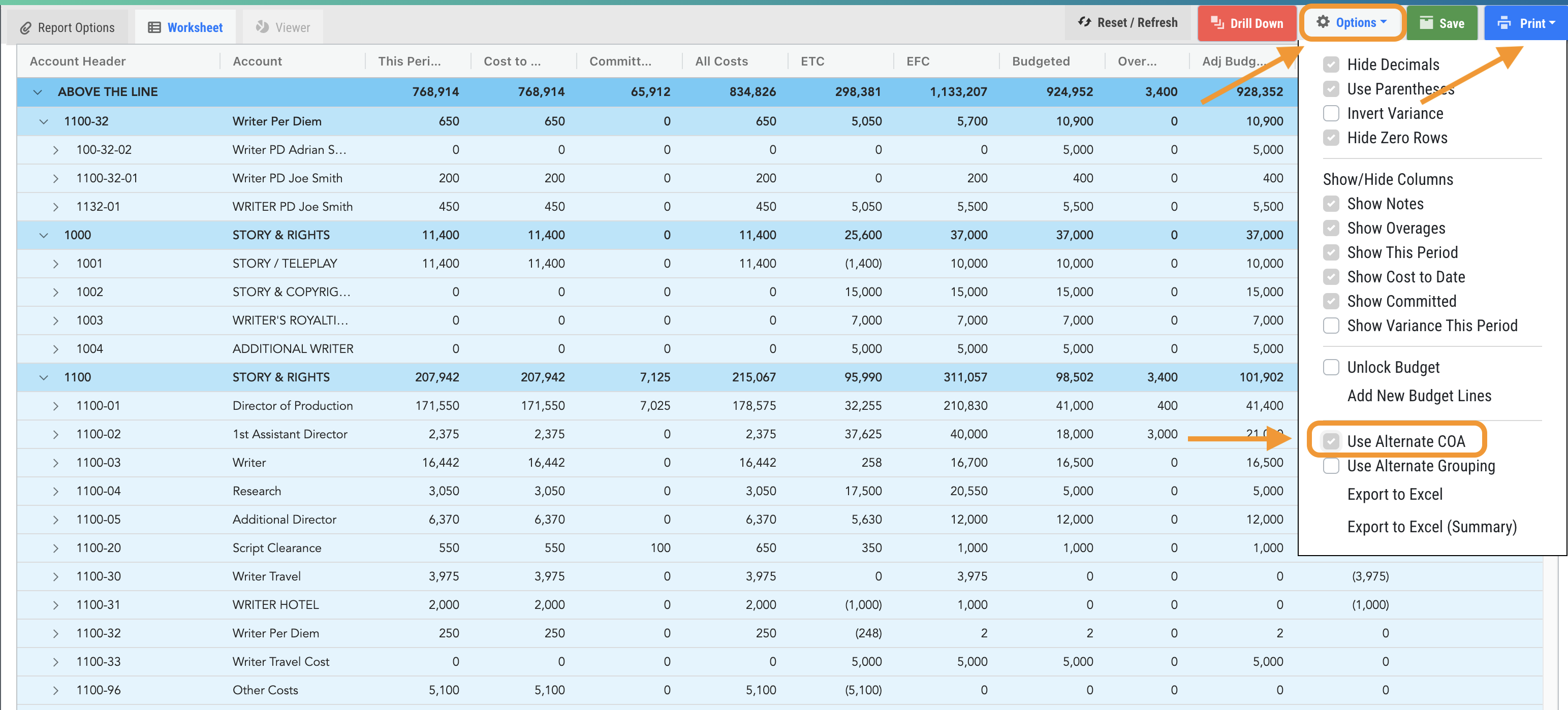
6) In top right of the worksheet, click options, check Use Alternate COA, and then Print
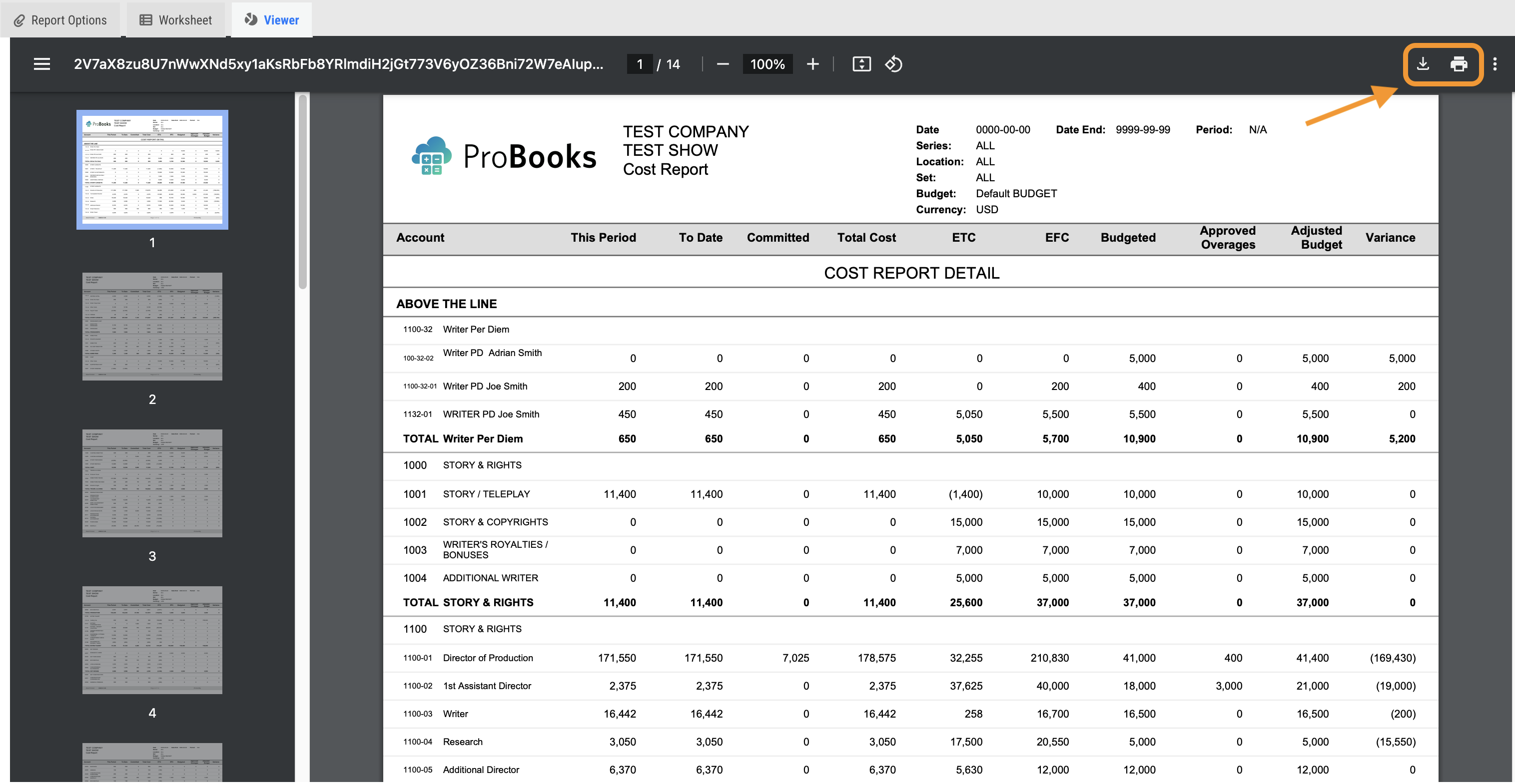
7) The report will open in a Viewer tab where you can click to download the report to your computer or send it to your printer.
Questions? Need more help?
Please email support at support@revolutiones.com or call 800-985-9238 M-F 6am-6pm (PST). If it's outside our business hours, we will get back to you as soon as we can.