








How to Log In
There are two ways to log in; one is if you've never worked on a Revolution project before (new to Revolution), and the other is if you've worked on a Revolution project before.
Please see the applicable section.
If you’ve never worked on a Revolution project before (new to Revolution):
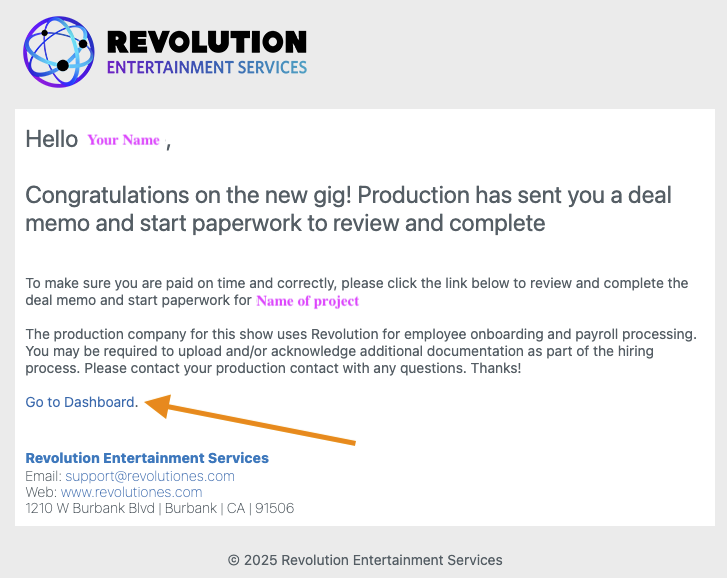
1. Click the "Go to Dashboard" link in your email
- The subject line for the email is “(Someone on your production) Invites you to Complete your Start Paperwork"
- Don't see the email? Reach out to your production to ensure they sent your start to your correct email. You can also reach out to support@revolutiones.com with your name and the name of the project you're working on so we can help
If you’ve worked on a Revolution project before:
1. Please visit https://www.revolutiones.com/oasis/employee/login to log in to your dashboard. You may also click “Go to Dashboard” in the email sent by your production to get to the employee login page as well.
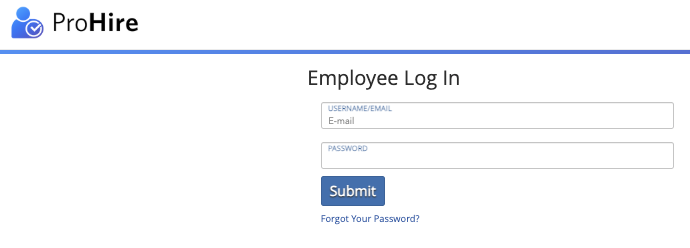
- If you can't log in, even after trying the "Forgot Your Password?" please reach out to support@revolutiones.com with the following information: Your name, email(s), last 4 of your SSN, name(s) of project(s) you're working on or have worked on in the past.
Questions? Need more help?
Please email support at support@revolutiones.com with your full name, the name of the project(s) you're working on, and a good email or phone number for us to reach you at or call 800-985-9238 M-F 7AM-6PM (PST). If it's outside our business hours, we will get back to you as soon as we can.

