








How to Generate and Download PDF Start Packs or Individual Forms
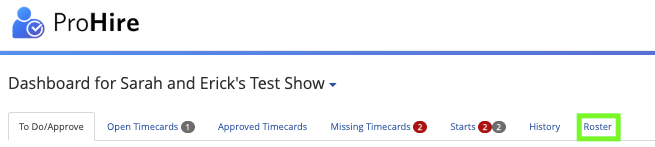
1) Navigate to the "Roster" tab from the project dashboard
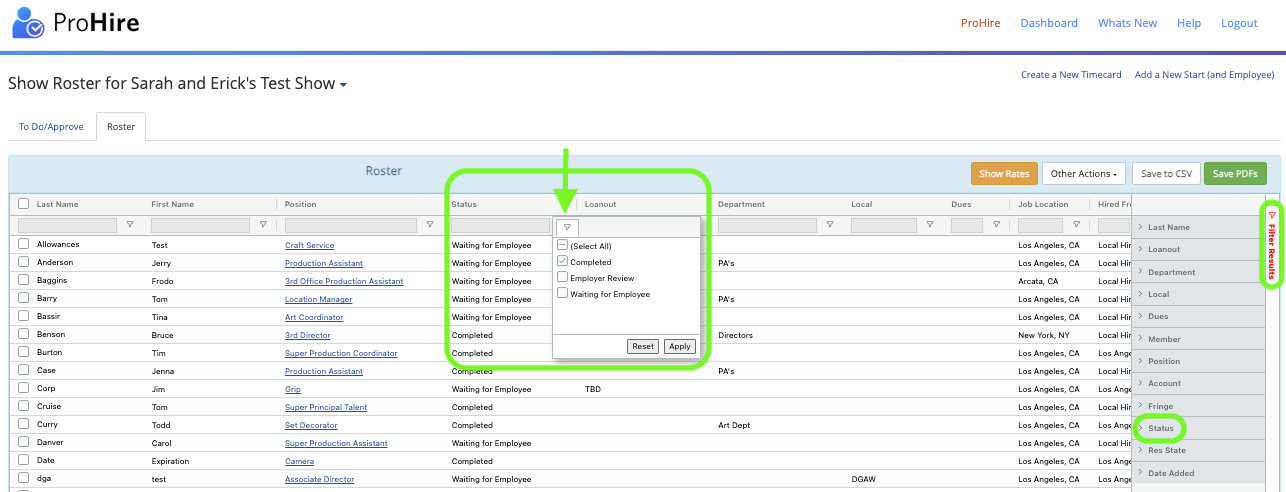
(optional) Filter for "Completed" Starts under the "Status" Column Header or use the "Filter Results" ribbon
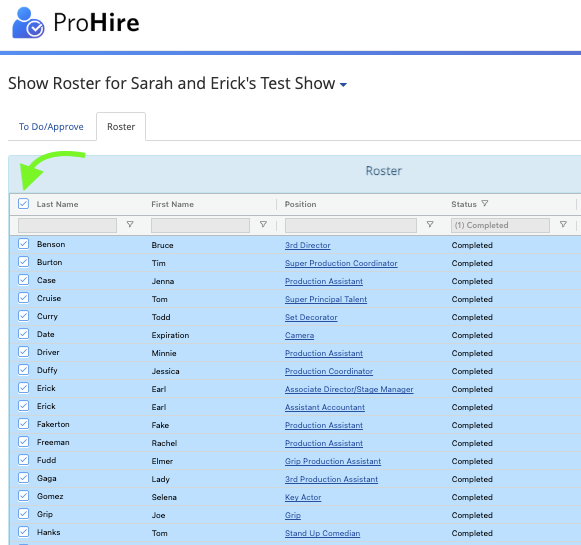
2) Select the check box beside "Last Name" to select all starts, or select individual starts using the selection check boxes beside each employee
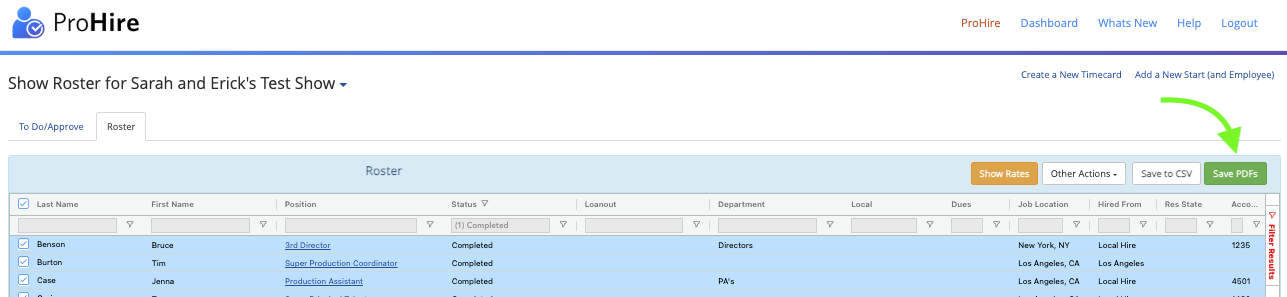
3) Click "Save PDFs" to generate start paperwork in PDF format for the selected employees
Selected starts will be sent to your email, and from the email generated, click the link to view the selected start packets.
and/or
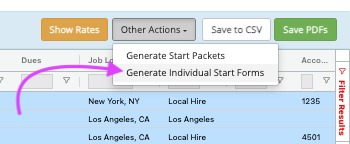
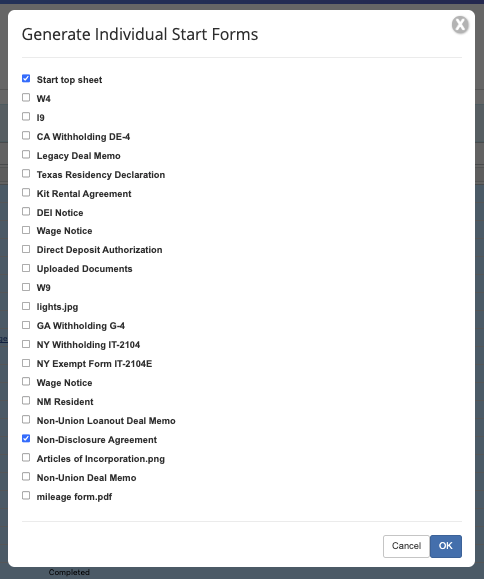
Click "Other Actions" -> "Generate Individual Start Forms" to select individual forms to download, and click "OK"
Selected forms will download on the screen. Please be patient as download times can be long depending on the number of starts selected.
Questions? Need more help?
Please email support at support@revolutiones.com or call 800-985-9238 M-F 6am-6pm (PST). If it's outside our business hours, we will get back to you as soon as we can.

