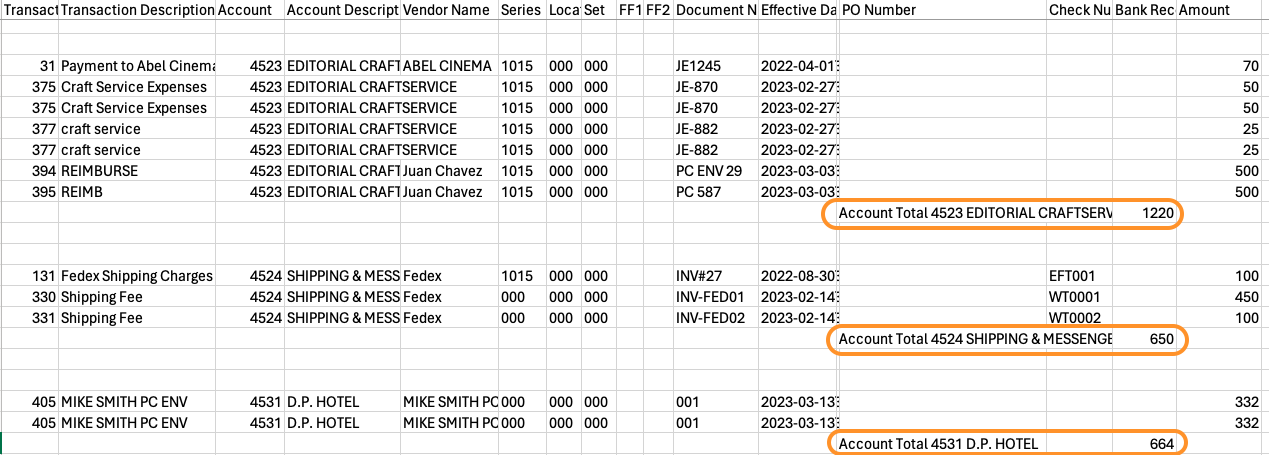
How To Export the GL Bible to CSV with Account Subtotal
The GL Bible can be exported to .csv with account sub-totals included automatically
1) From the Left Panel, navigate to Reports > GL Bible Report

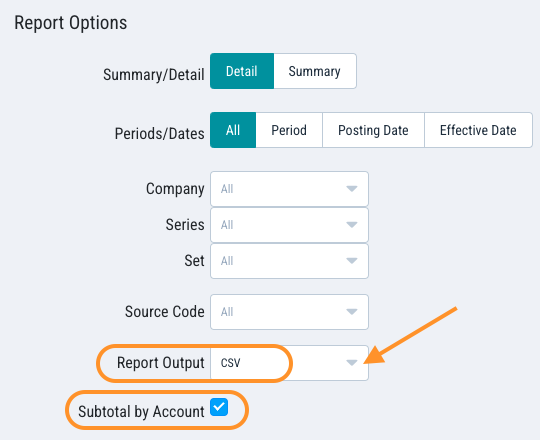
2) In Report Options, go to Report Output, select CSV to display Sub-total by Account. Check the box.
3) Click Run Report to generate the report

4) A pop-up will appear at the top. Click Download.

5) GL-BibleReport.csv will automatically be saved to the Download folder on your computer. Open with Excel to review the result.