How to Export Payroll to Budgeting Software
Three easy steps to make your payroll available to download into your budgeting software!
1)
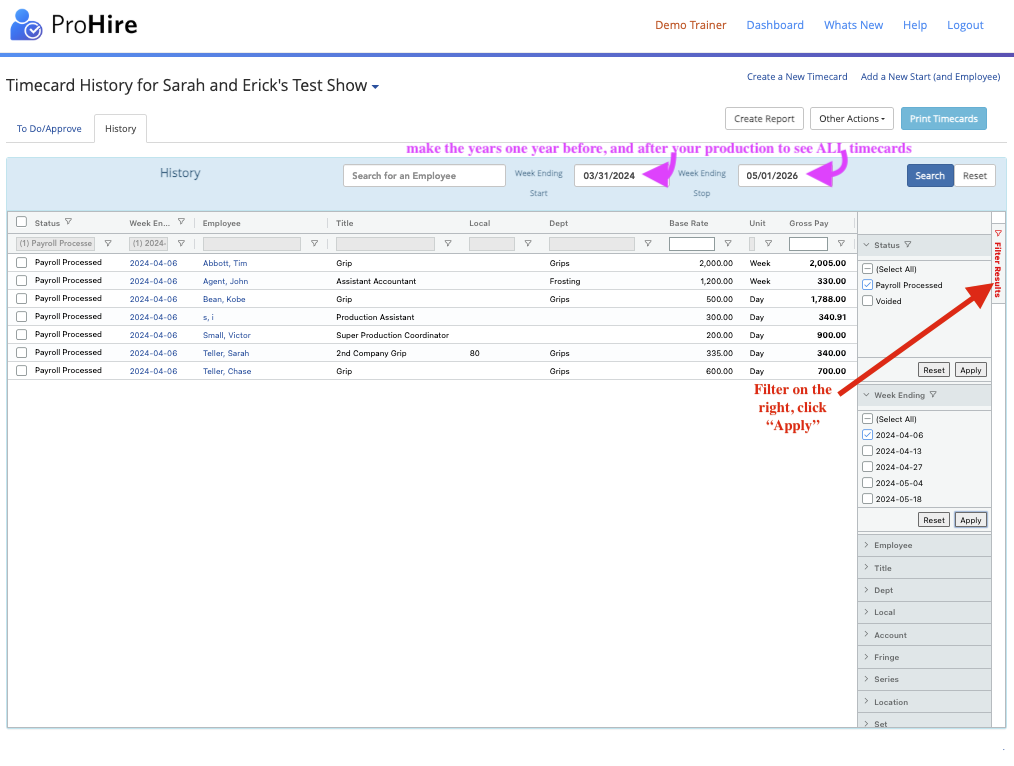
Click the "History" Tab and filter for the timecards you need (input a wide date range to see all timecards)
- In this example, I wanted all payroll processed TCs from week-ending 4/6/24
2)
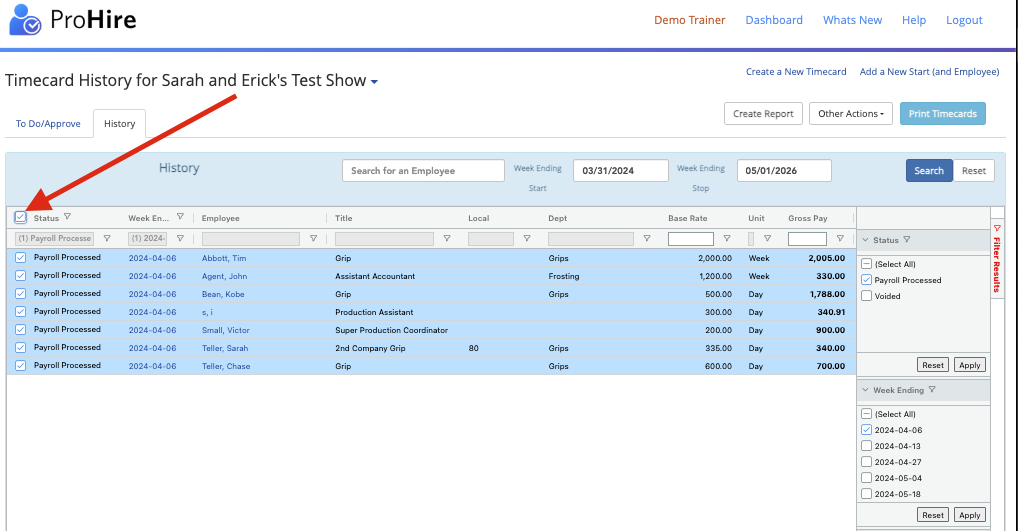
Select the top checkbox to select all the TCs you filtered for
3)
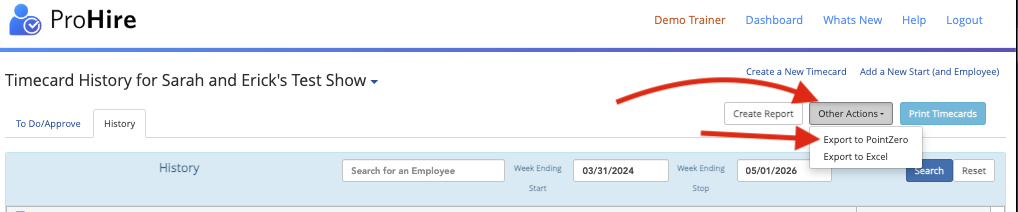
Select "Other Actions" > "Export to PointZero" and you'll get a CSV download you can import into most budgeting software such as TrueBudget (available free from us at: https://www.revolutiones.com/truebudget)