








How To Archive Projects
Please first reach out to support@revolutiones.com with a list of projects you'd like to archive; we will set you up with permissions to do so.
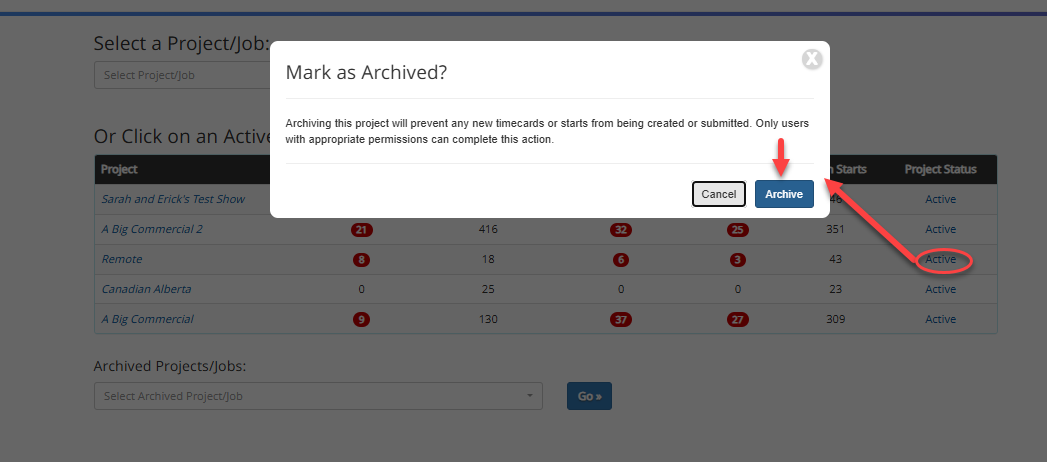
Once you have the permissions, you'll click the "Archive" link next to the project you wish to Archive, then the blue "Archive" button.
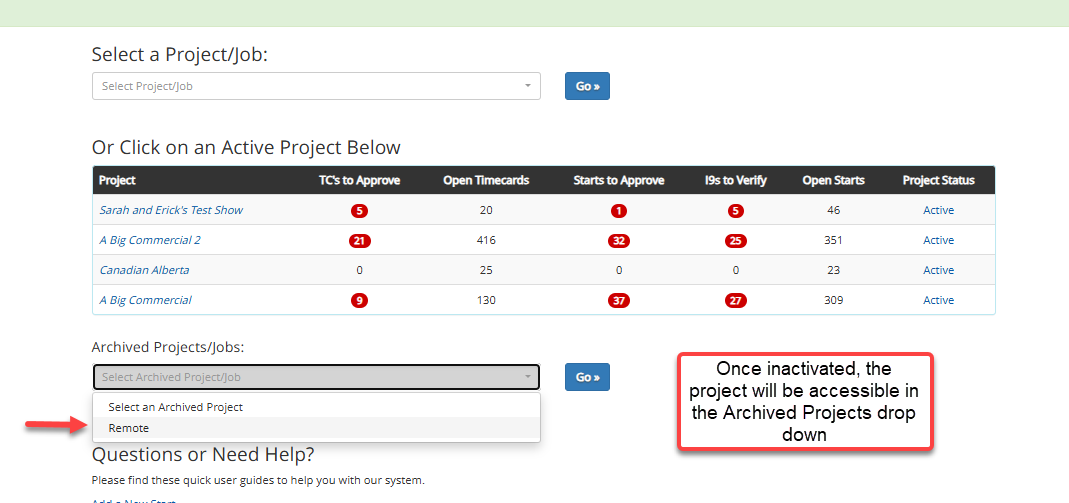
Once a project is archived, it will still be accessible in the "Archived Projects/Jobs" dropdown.
*New timecards or starts cannot be created (options are removed), and existing timecards cannot be modified or recalculated.
*Employees can still access their dashboard for archived projects, but they cannot create or update any timecards, and they will get a message.
To Unarchive a show: Where the new start and new timecard links would be on the main dashboard, there is an "Unarchive this show" link in their place that will re-activate the project.


