








How to add Direct-Deposit to a Completed Start
If you are receiving paper checks, have completed start paperwork, and want to switch to direct deposit, please fill out your information HERE under "Sign up for Direct Deposit (If production company offers it)"
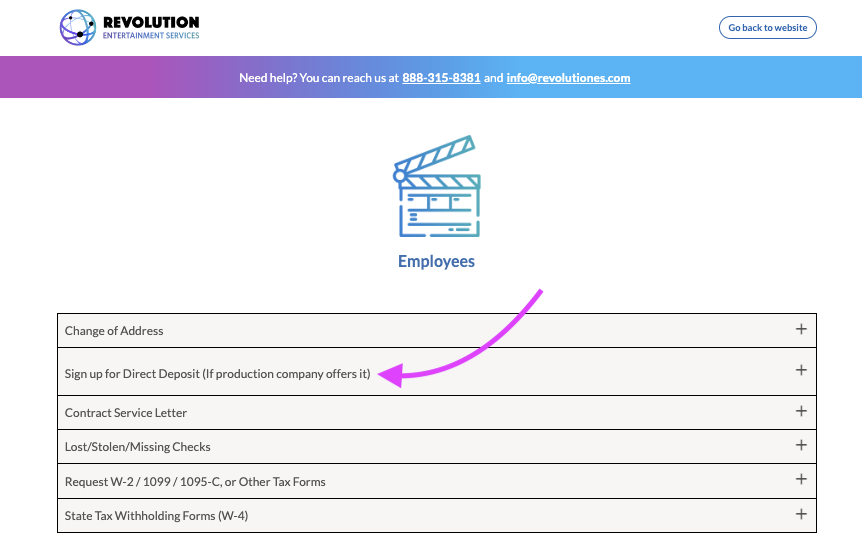
Please ensure your account and routing numbers are correct so your money gets sent to the right place!
Additionally, send an email over to payroll at payrollsupport@revolutiones.com with your name, project name, and that you filled the DD form out so they can verify they have your correct information and ensure your next check will be direct-deposited. Please don’t skip emailing payroll or you may be mailed a paper check.
If you're completing your start paperwork for the first time, you can easily add your direct deposit in the Direct Deposit module (make sure you have a picture of a voided check, a direct deposit slip from your bank, or a screenshot of your account and routing numbers to upload via the red button when prompted).
Questions? Need more help?
Please email support at support@revolutiones.com with your full name, the name of the project(s) you're working on, and a good email or phone number for us to reach you at or call 800-985-9238 M-F 7AM-6PM (PST). If it's outside our business hours, we will get back to you as soon as we can.

