








How to Add and Configure Accounting codes
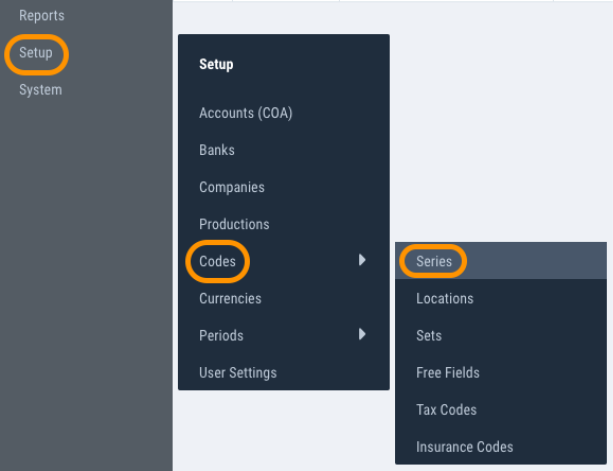
1) In the navigation bar on the left, click on Setup > Codes > and choose the appropriate category.
You can configure the codes for the following categories: Series, Locations, Sets, Free fields, Tax codes and Insurance codes.
The process of adding a new code is the same for each category. This article will use Series as its example.
2) Add a new code by clicking the blue plus icon

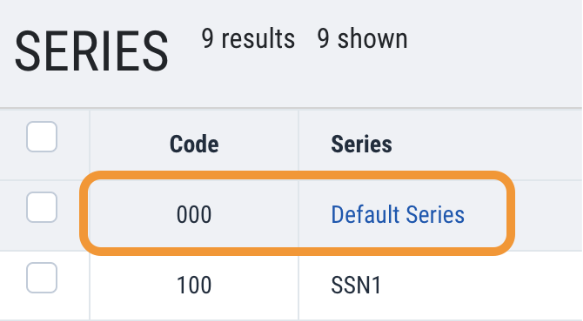
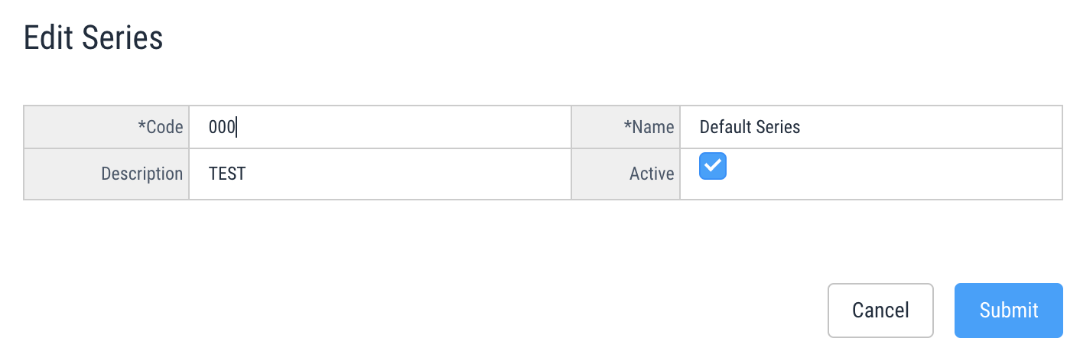
3) Edit existing codes by clicking on the code number or name
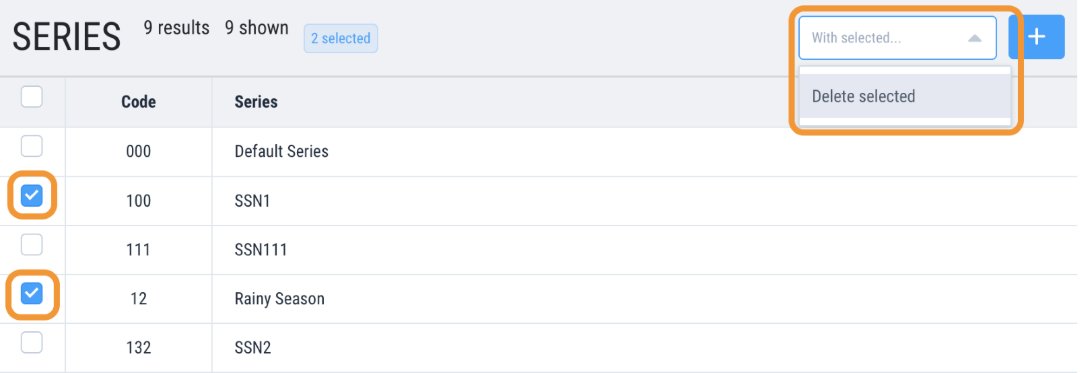
4) Delete existing codes by clicking the boxes next to the code numbers, clicking “with selected”, then clicking “Delete Selected”
Questions? Need more help?
Please email support at support@revolutiones.com or call 800-985-9238 M-F 7am-6pm (PST). If it's outside our business hours, we will get back to you as soon as we can.

